



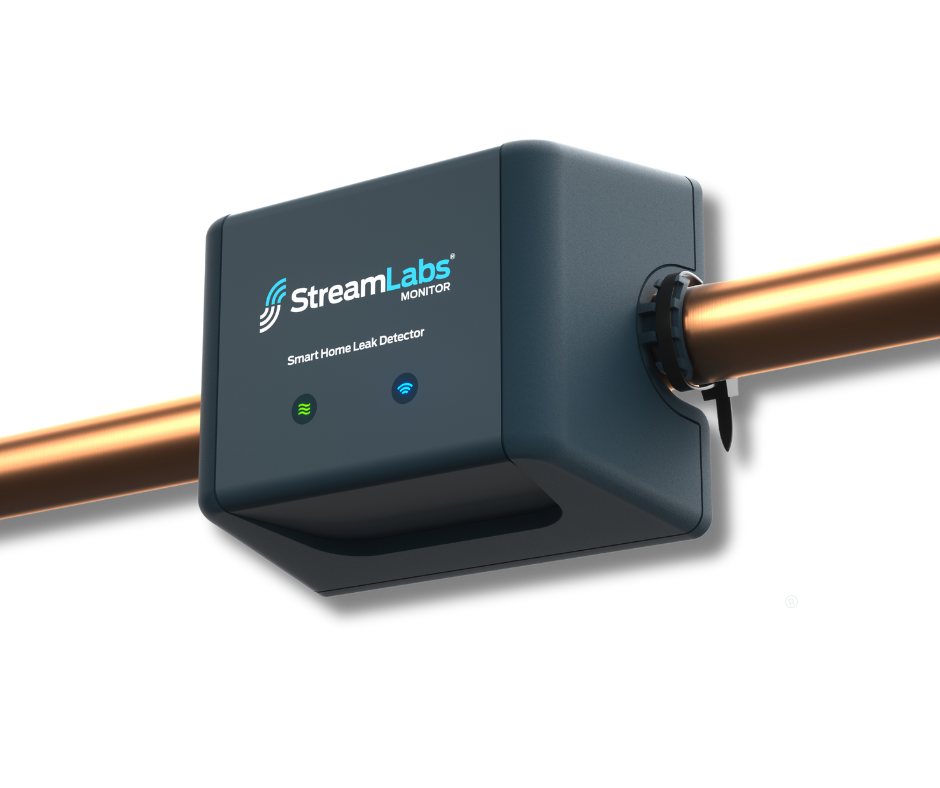

Monitor de StreamLabs
Imagina no tener que volver a preocuparte por fugas de agua ni por el desperdicio de recursos. El Monitor StreamLabs transforma tu hogar en un santuario de seguridad, brindándote control total sobre tu consumo de agua con solo un toque. Siente la confianza de las alertas de fugas en tiempo real, enviadas directamente a tu teléfono por wifi, incluso cuando no estás. Sin necesidad de una instalación compleja; simplemente conéctalo a tus tuberías y deja que la tecnología ultrasónica patentada haga el trabajo, monitoreando silenciosamente cada gota. Únete a miles de propietarios satisfechos que ya han protegido sus hogares de costosos daños por agua, a la vez que reducen sus facturas de servicios públicos. Combínalo con la app StreamLabs y Scout para un seguimiento continuo y cobertura completa para toda la casa contra fugas de plomería y otras causas. No esperes a que ocurra un desastre: disfruta de la tranquilidad, ahorra agua y protege lo que más te importa hoy. Incorpora el Monitor StreamLabs a tu rutina de hogar inteligente ahora.
Pairs well with
Bundle & Save
24/7 Monitoring
Easy DIY Install
Usage Insight
Freeze Alerts & App Notifications
Monitor de StreamLabs
If you have any questions, you are always welcome to contact us. We'll get back to you as soon as possible, within 24 hours on weekdays.
-
Shipping Information
Use this text to answer questions in as much detail as possible for your customers.
-
Customer Support
Use this text to answer questions in as much detail as possible for your customers.
-
FAQ’s
Use this text to answer questions in as much detail as possible for your customers.
-
Contact Us
Use this text to answer questions in as much detail as possible for your customers.
Tech Specs
- App Compatibility: iOS 11 or later, compatible with iPhone or iPad, Android 6 or later, phone or tablet
- Accuracy: 0.25 gpm low-flow detection*
- Compatible Pipe Sizes: 3/4 in. CTS, 1 in. CTS
- Compatible Pipe Type: Copper Schedule M & L, PEX, CPVC
- Universal Power Supply Input: 100-240VAC Output: 5.9V @ 0.6A UL Listed (included)
- Power Supply Length: 10 ft. (additional extension cables available for purchase, 25 & 50 ft.)
- Water Temperature: min. 40°F (4.4°C) / max. 80°F (26.6°C)
- Operating Pressure: max. 232 psi (16 bar) Limited by Pipe
- Ambient Temperature: min. 32°F (0°C) / max. 115°F (46.1°C)
- Operating Environment: Indoor use only
- Network: Wi-Fi 2.4 GHz
- * Accuracy may depend on pipe age, type, and setup. 0.5 gpm for Copper type L.
FAQs
Please read our FAQs page to find out more.
Where should I install the Monitor?
The main water entry line may be located in a basement, utility closet, garage, or crawlspace based on which type of dwelling it is (a house, townhome or apartment). The main water entry line should have a shutoff valve used to stop the water supply to the home. The main water entry line is typically near the water heater. It is the line that splits into the hot water heater and the cold water for the building.
Install the Monitor on the main water line, before any branches to other appliances. Installing on a pipe other than the main line will not allow you to see the total water usage in your home.
Locate a section of pipe that is near the valve and has at least five inches of straight, continuous, uninterrupted pipe. Do not install the Monitor on top of a pipe joint or coupling - it must be a straight segment of uninterrupted pipe. Ensure that your Monitor is installed directly and securely on the pipe. The Monitor may be installed vertically or horizontally as long as it is securely fastened to the pipe using the included zip-ties.
We do not recommend installing the Monitor outdoors, and doing so will void the product's warranty. The Monitor needs to be installed in a location where it is shielded from direct sunlight, excessive moisture such as rain, dramatic temperature fluctuations, and wind. Crawlspaces, garages, sheds, and weatherproof, outdoor enclosures are all acceptable installation locations as well as anywhere else that is indoors or inside the house.
Please Note: Consider checking your Wi-Fi signal strength at this location before mounting the Monitor. Try opening a browser page on your phone from this location to ensure you receive a signal. The chosen install location must also be in range of a standard wall outlet. The included power supply can reach an outlet a linear distance of 10 feet away from the installation spot.
What type of pipe is the Monitor compatible with?
Supported Pipe Diameters
- ¾” Copper Tube Standard
- 1” Copper Tube Standard
This is the standard for home plumbing pipes and refers to the nominal pipe diameter (outer diameter). Most homes have ¾” or 1” pipes.
Supported Pipe Materials
- CPVC
- PEX
- COPPER (TYPE M)
- COPPER (TYPE L)
How should I clean the pipe before I install the Monitor?
Use a fabric household cloth or rag to gently clean the section of pipe intended for install. This should adequately remove any paint, dust, and loose dirt from the installation site. In the case of excessive dirt and debris, only use a cloth or rag dampened with water to clean the pipe around the installation site. Do not use household cleaners or solvents to clean the pipe.
Don’t be alarmed if debris, paint, or dust remains on the installation location after cleaning. A little bit of debris, paint, or dust will not affect the Monitor's accuracy or performance. If you are unable to get a signal, please refer to our troubleshooting article. If you are still experiencing problems with the installation, our customer support team may have a recommendation for a secondary cleaning tool.
What is the smallest leak the Monitor can detect?
The Monitor can detect a leak as small as .25gpm/5 minutes.
Do I need a Control and Monitor?
No, both the StreamLabs Control and StreamLabs Monitor will monitor your water and alert you if there is a possible leak. The StreamLabs Control goes one further by shutting off your water if there is a leak detected.
For extra protection, we suggest the StreamLabs Scout to add additional point of leak detection.